

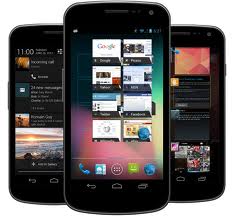
 Android Jelly Bean is the most amazing OS for Android yet. It is just available for Galaxy Nexus, Nexus 7, Nexus S and Motorola Zoom Tablet. It is more advanced than the old Ice Cream Sandwich. The arrangement is supposed to foster innovation, but it also fosters frustration among users who can’t get the latest version of Android in a timely manner or in some cases, ever get it at all. . The shiny new operating system brings new features such as a speedier interface, a new Camera app, offline voice typing, significantly improved notifications, a Siri-like voice search, Google Now and more. Here are the features we’ve enjoyed using the most so far.
There’s been a lot of talk about something called
“Project Butter” during the Google I/O developers conference and unsurprisingly the whole thing doesn’t have anything to do with dairy products Jelly Bean actually tries to predict where you’ll touch the screen next. Buffering tweaks, increased frame rates, a system which keeps rendering and touch input events in sync better, and touch prediction come together to make everything run just a little bit more nicely. It has offline voice typing. Google’s voice search definitely made Siri look terrible, as the iOS-based assistant has a bad habit of simply offering to search teh web for you in situations where Google already has an answer. Google now will tell you what you need get it to you before you even realize you need it. . In theory, your device should learn your habits, interests and so on, and then offer up relevant traffic, weather and point-of-interest information. Google Now just has to get to know me better before taking charge of my life, but for whatever reason I am not being offered much information.
In Jelly Bean, the notification bar can do more than ever. It can now expand, to show you a portion of your inbox, rather than just the number of emails waiting for you. (Yes, this is similar to one of the display options for email notifications in iOS, but those can’t be compacted with a touch.)
Google Now cards also appear in the notifications tray, meaning that you can view relevant information just by opening the notifications rather than having to switch apps.
The changes to notifications are small touches, but based on some time with a Galaxy Nexus running Jelly Bean, it’s easy to see that the time and frustrations they’ll save you will quickly add up. Upgrade your phone to Jelly Bean now and have fun. :Dt
